Podcast Addict is the #1 Podcast App on Android with over 10M downloads, 500K reviews, 2 Billion episodes downloaded and an average rating of 4.7/5
Podcast Addict allows you to manage Podcast, Radio, Audiobook, Live stream, YouTube, SoundCloud channels and RSS News feeds from a single app.
Getting started: https://podcastaddict.com/getting_started
FAQs: https://podcastaddict.com/faq
Bugs & Suggestions: http://bit.ly/podcastAddict
Changelog: https://podcastaddict.com/changelog
Contacts: Settings/Feedback
Minimal permission requirement
Please contact me in case you have any issue/question.
The app is free and unrestricted. It displays a small ad banner at the bottom of the screen.
If you want to support Podcast Addict and/or disable the ad banner, you can do so via an In-App purchase.
SUBSCRIPTION / DISCOVERY
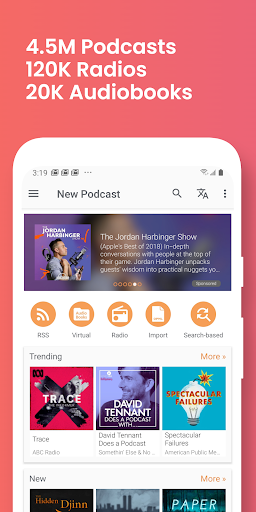
• Search by podcast name or keywords (5M podcasts / 100M+ episodes)
• Use the search engine of your choice: Podcast Addict, Apple Podcast or The Podcast Index
• Browse popular podcasts by category
• Browse podcast networks (NPR, Gimlet, BBC, Serial, Ted Talks, ...)
• Get custom recommendations based on your subscriptions
• Find similar podcasts to the one you listen to
• Paste the podcast RSS/ATOM feed url. Also works with iTunes / Apple Podcast, SoundCloud, YouTube channels and playlists urls
• Support private / premium podcasts via RSS feeds
PLAYBACK / AUDIO EFFECTS
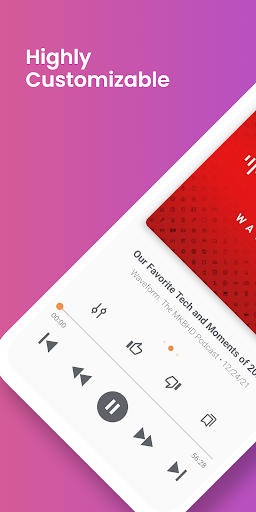
• Built-in audio effects such as playback speed, volume boost, skip silence, mono playback. Works while streaming or playing downloaded files
• Variable playback speed for video podcasts
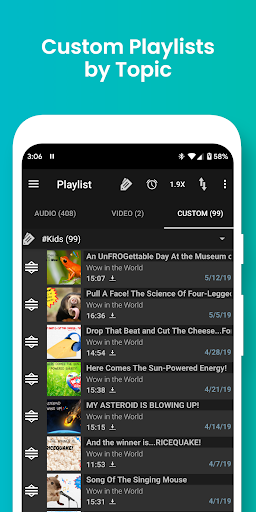
• Multiple playlists support
• Advanced playback features like Shuffle mode, Loop mode and Sleep timer
• Works as a standalone player (MP3, Audiobook, local files, streaming)
• Full chapter support (with images, links, ...)
• Chromecast support (with local files/audiobooks support)
• SONOS support
AUTOMATION
• Automatic update, download, playlist & deletion (Set a specific time so your favorite podcasts can be downloaded before you wake up)
• Custom settings by podcast
• Control the app through Intents with 3rd party apps
• Alarm clock to wake up to your favorite podcast, radio, audiobook, playlist
BACKUP
• Automatic cloud backup
• Import/ export subscriptions (OPML file compatible with other podcast apps)
MISC.
• SD card storage
• Podcasts reviews (both from Podcast Addict and from Apple podcast)
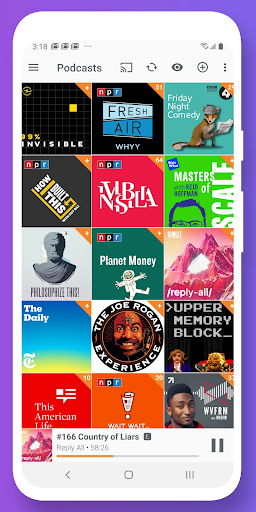
• Reorder podcast and radio subscriptions by drag and drop
• Android wear notifications & controls, Android Auto, Pebble ...
• Live stream radio search engine (150K radio stations)
• Bookmarks / Notes
• Premium / private / Authenticated feeds & podcasts
• Widgets
• Search based podcasts (handle a search request as a podcast)
• Virtual podcasts / Audiobooks (handle a folder content as a podcast)
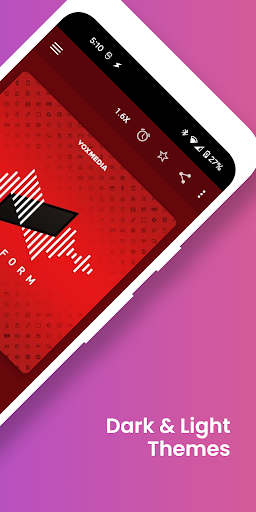
• Visual customization
• Full screen reading mode for RSS news feed
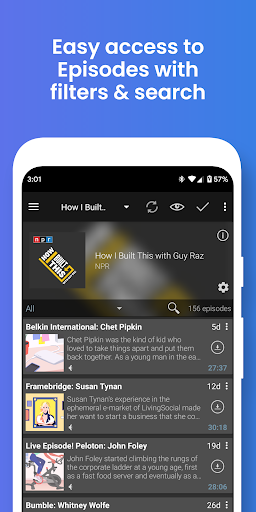
• Advanced filtering by type/keywords/duration to show/hide episodes
• Advanced sharing features (full description, Twitter, ...)
• Playback Statistics
• Accessibility
AVAILABLE NETWORKS
• Chinese: HK Reporter
• English: 5by5, BBC, CBS Radio News, CBS Sport Radio, CNN, Criminal, Crooked Media, Earwolf, ESPN, FrogPants, Gimlet, LibriVox, Loyal Books, MSNBC, My Favorite Murder, NASA, Nerdist, Netflix, NPR, Parcast, PodcastOne, Podiobooks, Public Radio International (PRI), Radiotopia, Relay FM, Serial, Showtime, Slate, Smodcast, S-Town, The Guardian, This American Life (TAL), Ted Talks, The Joe Rogan Experience (JRE), True Crime, TWiT, Wall Street Journal (WSJ), Wondery
• French: Jazz Radio, Radio Campus Paris, Radio Canada, Radio France, Virgin Radio
• German: Deutsche Welle, DRadio Wissen, ORF, SRF, ZDF, WDR
• Italian: Radio24, Rai Radio 1 & 2 & 3
• Misc: 103fm
If you’re an Android user and don’t download the app from the official Google Play Store, you may find the installation process more complicated than usual.
But we are delighted to inform you that you don’t need to worry. To ensure you could install this app smoothly, we have written and uploaded a detailed tutorial. It would guide you on installing an app after downloading it from our website step by step, with the help of pictures.
You may find this helpful article on the downloading site, or visit How to install APK/XAPK files on Android.
If you need further help, please do not hesitate to contact us via email [email protected].
We fully understand your concern about safety. We agree that one person wouldn’t be too careful in the cyber world. Meanwhile, we are happy to tell you that one of our priorities is to provide our users with safe app files that they can use without any worries.
We guarantee that all the app files we provided originate from official and reliable sources. We promise that they do not contain any malware that will harm your hardware or the safety of your privacy.
We are glad to let you know that the vast majority of apps on our website are available for free download. Only a small selection of apps require payment, and their prices are set solely by the respective developers—we simply provide an official and secure download platform.
Rest assured, whether an app is free or paid, every download link on our site is verified and completely safe. You can download with confidence, and no account registration is needed—just click the download button and you're all set!
Recently we received a lot of emails from our users, which said they couldn't log in for different reasons, such as "forgot the user name or password" or "had a new phone." We are willing to help you out. Please read the notes below to see what we can do.
To answer this question, please first let us know which account you’re referring to.
If you're referring to your account of some app, like your Facebook account or your Youtube account. Unfortunately, we would not be able to help in this case. We would suggest you turn to the customer service of this application.
If you’re referring to your Appurse account, we should apologize for your confusion since there is no Appurse account. We never require registration for our service, and you will not find any procedure related to creating an account or registering on our website.
This question is essentially quite similar to the prior one. It’s a pity that we are unable to help you to cancel the subscription to a third-party application directly, while we would suggest you to contact its customer service for further information.
Sorry that we are unable to help you to get a refund from a third-party application directly. If you wish to get a refund from a third-party app, we would suggest you to contact its customer service. We would be happy to provide you the way to contact them.
If you want a refund from us, we should apologize for your confusion. Our service is 100% free, and any payment information is not required.
If you run into any site that asks you to provide your payment information, be careful. Remember never reveal your payment information to any unauthorized third parties, no matter how attempting their offer may seem.
Sorry that we cannot answer this question directly, for this only aims to answer some general questions. You may find how to use a certain app by checking our review page.