Looking for a portable scanner?
Try a PDF scanner app that will convert your Android phone into a fast and powerful document scanner that recognizes text within images.
Download this scanner app free of charge to instantly scan, save, and share any document in PDF, JPG or TXT format.
Become more productive with a handy PDF scanner in your pocket! Go paperless and store all your documents in a neat mobile office on your very phone.
This fast and powerful free scanner app is a must-have app for students and anyone involved in a small business: accountants, realtors, managers, or lawyers. Mobile PDF scanner makes it easy to run a business on the go and boost your efficiency and productivity – just try iScanner and see for yourself!
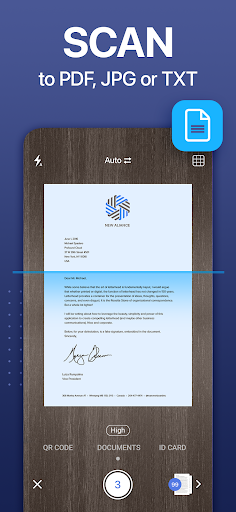
DOCUMENT SCANNER.
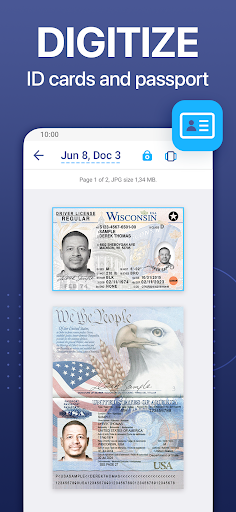
Digitize all your important documents with the device camera or add files from the Gallery. You can scan different work documents, photos, graphic material, ID cards and docs, books, papers, magazine articles, receipts, business cards, whiteboards, text on different images, bills, reports, invoices, study notes, certificates, contracts for your business partners and clients, and more!
ELECTRONIC SIGNATURE.
If you deal with business papers a lot the app’s e-sign feature will become a real time-saver for you. Scan documents, sign, and email them to your partner or client – yes, it’s that fast and easy with our PDF scanner! You can also save your signature and use it for all further documents.
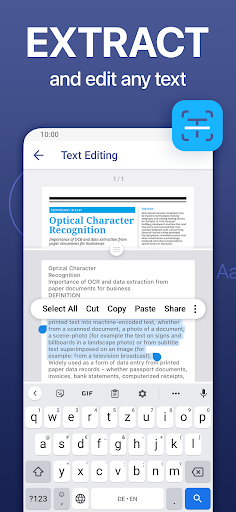
TEXT RECOGNITION (OCR).
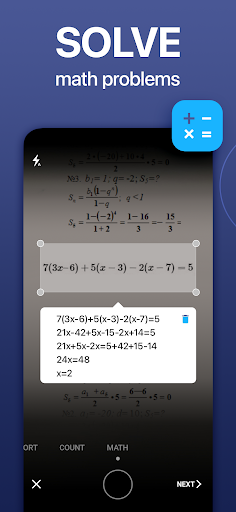
Turn an image to text with the highly accurate OCR scanner app. Easily extract text from a scanned page, edit it and save as a new document. This precise text scanner with OCR recognizes all popular languages and can even detect multiple languages within one document.
PIN-PROTECTION.
Safely use this reliable document scanner for your daily needs. If you want to protect your scans, you can set up a PIN for the entire scan app or lock particular folders or documents.
Would you like to have the entire office in your very pocket and increase your productivity at work? Use scanner pro features to handle your paperwork with ease. Say goodbye to huge, ugly copy machines and get this handy and ultra-fast scanner app free of charge now!
INNOVATIVE PDF SCANNER.
– Scan to PDF or JPEG
– Save scans in grayscale, black and white or full color
– Recognize text from any scannable object and edit it
– Scan documents using automatic shutter and border detection functions
– Use smart image editor with color correction and noise removing features – comes in handy for a photo scan
– Scan any number of pages into one document (multipage scanning)
HANDY DOCUMENT EDITOR.
– Sign documents, contracts, bills, and invoices right within the scanner app
– Add new pages to a document
– Cut, copy, paste, re-order, or delete document pages
– Edit scanned documents online or offline
MULTIFUNCTIONAL FILE MANAGER.
– Convert any document or photo to PDF
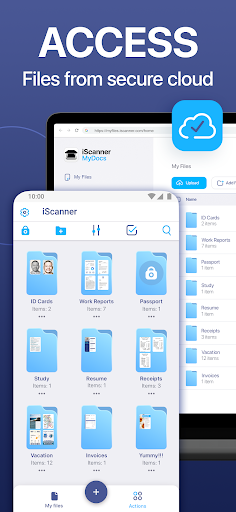
– Use file manager with folders, drag & drop, and document editing features
– Protect confidential documents by locking folders and files with PIN
– Sort scans by name, date or size
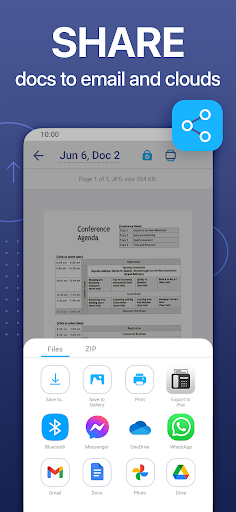
EASY DOCUMENT SHARING.
– Scan documents and share them in just a few taps
– Print contracts and invoices right from the scanning app
– Share and upload scanned documents to cloud services like Dropbox, Evernote or Google Drive
– Save doc scan to Gallery
With this secure free scanner app, any scanned or exported documents are stored locally on your Android device, and neither we nor any third-party can access them.
Made with love in the USA.
For any questions or inquiries about our mobile PDF scanner feel free to contact us at http://bpmob.com/scannerfree/android/support
If you’re an Android user and don’t download the app from the official Google Play Store, you may find the installation process more complicated than usual.
But we are delighted to inform you that you don’t need to worry. To ensure you could install this app smoothly, we have written and uploaded a detailed tutorial. It would guide you on installing an app after downloading it from our website step by step, with the help of pictures.
You may find this helpful article on the downloading site, or visit How to install APK/XAPK files on Android.
If you need further help, please do not hesitate to contact us via email [email protected].
We fully understand your concern about safety. We agree that one person wouldn’t be too careful in the cyber world. Meanwhile, we are happy to tell you that one of our priorities is to provide our users with safe app files that they can use without any worries.
We guarantee that all the app files we provided originate from official and reliable sources. We promise that they do not contain any malware that will harm your hardware or the safety of your privacy.
We are glad to let you know that the vast majority of apps on our website are available for free download. Only a small selection of apps require payment, and their prices are set solely by the respective developers—we simply provide an official and secure download platform.
Rest assured, whether an app is free or paid, every download link on our site is verified and completely safe. You can download with confidence, and no account registration is needed—just click the download button and you're all set!
Recently we received a lot of emails from our users, which said they couldn't log in for different reasons, such as "forgot the user name or password" or "had a new phone." We are willing to help you out. Please read the notes below to see what we can do.
To answer this question, please first let us know which account you’re referring to.
If you're referring to your account of some app, like your Facebook account or your Youtube account. Unfortunately, we would not be able to help in this case. We would suggest you turn to the customer service of this application.
If you’re referring to your Appurse account, we should apologize for your confusion since there is no Appurse account. We never require registration for our service, and you will not find any procedure related to creating an account or registering on our website.
This question is essentially quite similar to the prior one. It’s a pity that we are unable to help you to cancel the subscription to a third-party application directly, while we would suggest you to contact its customer service for further information.
Sorry that we are unable to help you to get a refund from a third-party application directly. If you wish to get a refund from a third-party app, we would suggest you to contact its customer service. We would be happy to provide you the way to contact them.
If you want a refund from us, we should apologize for your confusion. Our service is 100% free, and any payment information is not required.
If you run into any site that asks you to provide your payment information, be careful. Remember never reveal your payment information to any unauthorized third parties, no matter how attempting their offer may seem.
Sorry that we cannot answer this question directly, for this only aims to answer some general questions. You may find how to use a certain app by checking our review page.