Flipkart Online Shopping App - Download the app for a delightful shopping experience
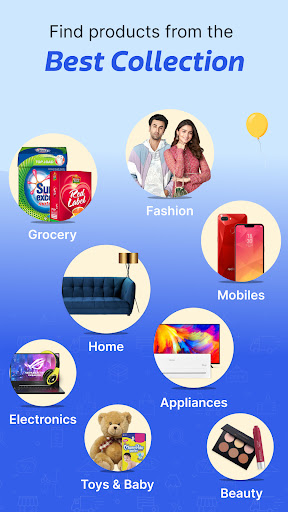
The free online shopping app is very easy as you get to shop from the comfort of your home and get products delivered at your doorstep. By downloading the Flipkart free online shopping app on your Android phone or tablet, you can effortlessly browse our massive collection of more than 80 crore products from multiple categories including mobile phones, fashion wear, electronic devices, videos, accessories and consumer durables.
You can contact our 24x7 customer support for any product or delivery related issues. Download Flipkart app now and start shopping!
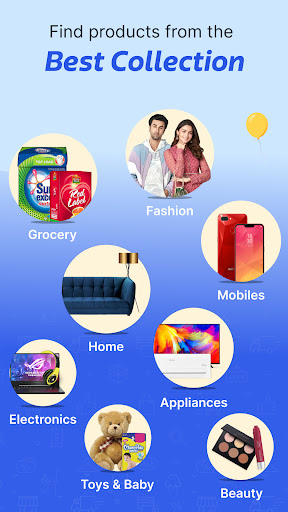
The products you can find on Flipkart shopping app are:
•Mobile Phones & Accessories
•Laptops, Computer Accessories & Tablets
•Electronic gadgets
•Games & Gaming Console
•Home & Kitchen Appliances
•Women’s Clothing
•Men’s Clothing
•Women’s & Men’s footwear
•Sports, gym & fitness products
•Travel, luggage & handbags
•Personal care appliances
•Home & Furniture
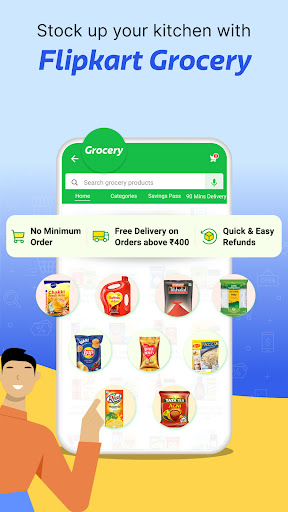
•Grocery
•Flipkart Video
•Flipkart Travel
•Flipkart Shipping*
Install Flipkart app for unique benefits
Simply download the Android shopping app on your device (phone or tablet) and create an account for yourself. Now, you will be taken to the Home screen where you will find links to all the category products, along with amazing offers, deals and discounts under the 'Offer Zone' and 'Deals of the day'.
1. Easily type in the product you are looking for in the ‘Search’ tab and find it instantly
2. Narrow down your search using filters like price, color, style, pattern, brand to find your desired product
3. Check ratings and reviews given by other customers along with seller ratings, price and description of the product while buying the product
4. You can also add products to your wishlist with a single tap
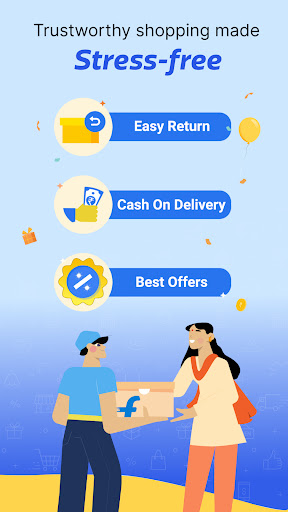
5. To place the order, choose among easy payment options like Flipkart Pay Later, Cardless Credit, Cash on Delivery (COD), debit card, credit card, net banking or UPI enabled PhonePe
6. Track your orders inside the app, get notifications on personalized offers, price drops, order status, exclusive launches and upcoming sale events
Permissions
In addition to basic permissions, the Flipkart shopping app needs access to other functions on your device for it to support the above features -
• Device and App History: To detect critical crashes and recover the app state
• Identity: For native login functionality with your Google account
• Phone: Read call logs to check eligibility for Buy Now Pay Later option
• SMS: To auto-verify OTPs and determine your eligibility for Flipkart Pay Later, Cardless Credit
If you’re an Android user and don’t download the app from the official Google Play Store, you may find the installation process more complicated than usual.
But we are delighted to inform you that you don’t need to worry. To ensure you could install this app smoothly, we have written and uploaded a detailed tutorial. It would guide you on installing an app after downloading it from our website step by step, with the help of pictures.
You may find this helpful article on the downloading site, or visit How to install APK/XAPK files on Android.
If you need further help, please do not hesitate to contact us via email [email protected].
We fully understand your concern about safety. We agree that one person wouldn’t be too careful in the cyber world. Meanwhile, we are happy to tell you that one of our priorities is to provide our users with safe app files that they can use without any worries.
We guarantee that all the app files we provided originate from official and reliable sources. We promise that they do not contain any malware that will harm your hardware or the safety of your privacy.
We are glad to let you know that the vast majority of apps on our website are available for free download. Only a small selection of apps require payment, and their prices are set solely by the respective developers—we simply provide an official and secure download platform.
Rest assured, whether an app is free or paid, every download link on our site is verified and completely safe. You can download with confidence, and no account registration is needed—just click the download button and you're all set!
Recently we received a lot of emails from our users, which said they couldn't log in for different reasons, such as "forgot the user name or password" or "had a new phone." We are willing to help you out. Please read the notes below to see what we can do.
To answer this question, please first let us know which account you’re referring to.
If you're referring to your account of some app, like your Facebook account or your Youtube account. Unfortunately, we would not be able to help in this case. We would suggest you turn to the customer service of this application.
If you’re referring to your Appurse account, we should apologize for your confusion since there is no Appurse account. We never require registration for our service, and you will not find any procedure related to creating an account or registering on our website.
This question is essentially quite similar to the prior one. It’s a pity that we are unable to help you to cancel the subscription to a third-party application directly, while we would suggest you to contact its customer service for further information.
Sorry that we are unable to help you to get a refund from a third-party application directly. If you wish to get a refund from a third-party app, we would suggest you to contact its customer service. We would be happy to provide you the way to contact them.
If you want a refund from us, we should apologize for your confusion. Our service is 100% free, and any payment information is not required.
If you run into any site that asks you to provide your payment information, be careful. Remember never reveal your payment information to any unauthorized third parties, no matter how attempting their offer may seem.
Sorry that we cannot answer this question directly, for this only aims to answer some general questions. You may find how to use a certain app by checking our review page.