Try Minuum for FREE for 30 days.
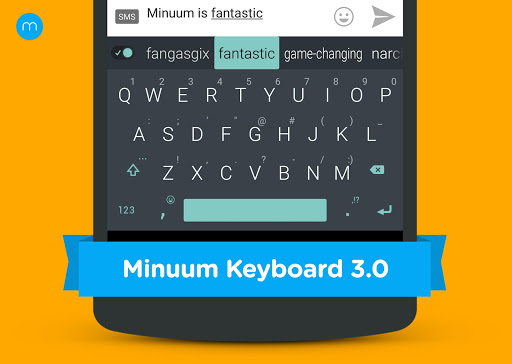
MINUUM™ - The smarter, smaller keyboard that lets you do more with your screen space. It’s the little keyboard for big fingers!
* One of the “12 best Android apps of 2014” - Karissa Bell, Mashable *
Minuum is best known for:
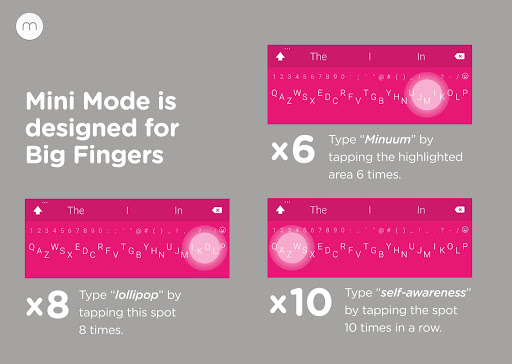
★ SLOPPY TYPING — Type surprisingly fast and delightfully sloppy
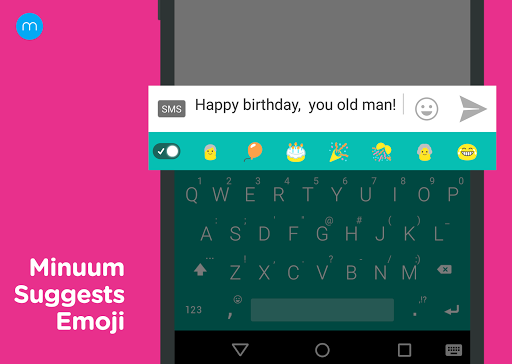
★ SMART EMOJI — Always have the right emoticon right at your finger tips
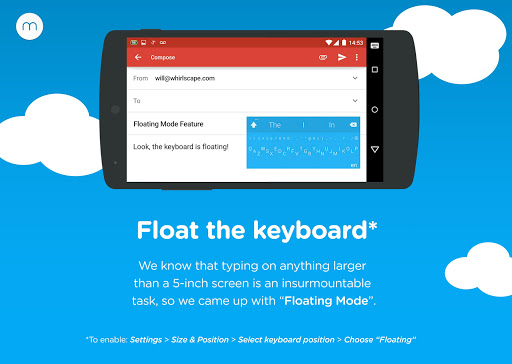
★ SHAPESHIFTING — Save screen space, enable one-handed typing or reposition your keyboard entirely
Spend 15 seconds with the introductory tutorial and you'll be able to start typing with Minuum—instantly. The more you type, the better Minuum gets
MULTI-LANGUAGE CAPABILITY
Download language modules and quickly switch between them. We currently support:
• English
• Spanish
• French
• German
• Italian
• Portuguese-BR
• Russian
• Dutch
• Swedish
• Czech
• Polish
• Portuguese-PT
• Turkish
BONUS PANELS
Minuum is always finding ways for you to enjoy your screen space through brand new bonus panels:
★ CURSOR CONTROL — Tweak your texts, emails, and posts with ease
★ CLIPBOARD TOOLS — Quickly cut, copy and paste
★ SEARCH & SHARE — Instantly access thesaurus, dictionary, search, and share
★ EMOJI—Express yourself better with immediate access to all 856 emoticons
★ TYPING SPEED — Monitor your typing speed
DISCOVER MORE
The Minuum keyboard for touchscreens is the first step toward a "type anywhere" future. Soon Minuum will let you type in ways you never imagined. For more information: http://www.minuum.com
FEATURES AT A GLANCE
• FAST SLOPPY TYPING
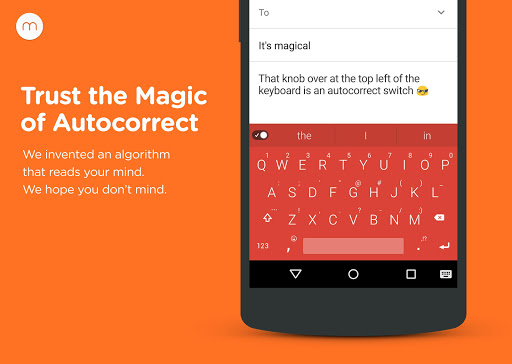
Type fast without worrying about precision, thanks to ridiculously smart auto-correction that learns as you type.
• MORE SCREEN SPACE
Recover more than half of the touchscreen space you lose when using traditional virtual keyboards.
• HELP FOR THE LARGE-FINGERED
Use key magnification for precise letter, number, and punctuation entry—very useful if you have large fingers.
• DIFFERENT ALPHABET ARRANGEMENTS
Choose from alternate keyboard layouts—such as “QWERTZ,” “AZERTY,” “A-Z.”
• EXPANSION TO FULL-SIZED KEYBOARD
Drag on the candidates bar to quickly switch between mini and full-size modes (useful for URLs and passwords).
• SMART WORD PREDICTION
Speed up your typing via suggestions from a predictive engine that learns from your word list, word combos, and language use patterns.
• SMART EMOJI
Swipe the word predictions left to find your Smart Emoji suggestions. Learn more about "the quest for the perfect emoji" here: http://goo.gl/sxQT9w
• VOCABULARY CONTROL
Minuum learns from your vocabulary, and lets you delete words from your dictionary though a pop-up display.
• RAPID GESTURE SHORTCUTS
Slide your fingers to the corners for quick, convenient access to all your features via pop-up keys.
• VOICE TYPING
Enter text hands-free via Google Voice Typing for voice-to-text typing when performing other activities.
• REAL MULTITASKING
If you’ve got split-screen capability, multitask more effectively as a result of extra screen space.
SUPPORT
Visit http://support.minuum.com to:
• Share ideas with the Minuum community
• Give product feedback
• Get help
PRIVACY
The Minuum keyboard stores data about your typing tendencies on your device. We do not collect typing data remotely and will not do so without first asking you. Please see our privacy policy: http://www.minuum.com/data
ABOUT OUR NAME
Some people call us “Minum” or the “Minimum” keyboard but an easy way to remember the Whirlscape™ Minuum™ Keyboard is to think of a continuum of letters taking up minimal space.
For updates, join our mailing list at http://eepurl.com/zwd8T